

Download Capture Wiz – Free Screen Capture Tool for Windows & Mac with Video, Audio & Editing
Capture Wiz Overview: A Complete Desktop Capture Solution for Everyone
When it comes to capturing what’s happening on your screen, Capture Wiz stands out as one of the most versatile and user-friendly tools available today. Whether you're a student taking notes, a teacher creating online lessons, a content creator producing tutorials, or a professional documenting software workflows, Capture Wiz delivers a seamless experience from start to finish. Unlike basic built-in screen capture tools on Windows or Mac, Capture Wiz goes beyond simple screenshots—it captures full-screen videos, scrolling web pages, system audio, microphone input, and even allows you to edit your recordings in real time.
One of the standout features is its intuitive interface, which makes it easy for beginners while still offering advanced controls for power users. With just a few clicks, you can initiate a capture, set recording duration, choose your output format, and even apply basic edits like adding arrows, text, or blurring sensitive data. The software supports both Windows and Mac operating systems, ensuring broad accessibility across devices. It’s also compatible with mobile platforms like Android and iOS when used in conjunction with cloud sync, making it ideal for cross-device workflows.
Security is a top priority with Capture Wiz. All captures are saved locally by default, and the software does not collect or transmit user data without explicit permission. This makes it a reliable choice for professionals handling confidential information.
The application runs smoothly in the background and uses minimal system resources, so you won’t notice performance drops during long recording sessions. With automatic updates and a clean, modern design, Capture Wiz ensures you’re always working with the latest version of the software. Whether you're looking to record a webinar, document a bug, or create engaging YouTube content, Capture Wiz is your go-to desktop capturing tool.
Powerful Features That Make Capture Wiz Stand Out
What truly sets Capture Wiz apart from other screen capture tools is its rich feature set, designed to meet the needs of diverse users. The predictive capture tool is a game-changer—just click on any screen element, and the software intelligently detects and captures the exact area you want, even if it’s part of a scrolling webpage or a hidden dropdown menu. This eliminates the need for manual dragging or multiple screenshots, saving you time and effort.
For video recording, Capture Wiz supports high-speed recording with synchronized audio from both your microphone and system audio. This is perfect for recording gameplay, online meetings, or voice-over tutorials. You can set a timer to start and stop recording automatically, which is ideal for scheduled webinars or time-limited demos. The software also allows you to capture specific windows, regions, or the entire screen, giving you full control over what gets recorded.
After capturing, the built-in editor lets you enhance your content without needing external software. You can add text annotations, draw arrows or shapes, blur sensitive information like passwords or personal data, and even crop or resize your visuals. These edits are non-destructive, meaning you can always go back and adjust them. Supported output formats include PNG, JPG, GIF, MP4, AVI, and MOV—ensuring compatibility with virtually any platform, from social media to video editing suites like Adobe Premiere or Final Cut Pro.
Additionally, Capture Wiz includes direct sharing options—you can send your captures via email, upload them to cloud storage (like Google Drive or Dropbox), or share directly to platforms like YouTube, Facebook, or Twitter. This streamlines the workflow for content creators and educators who need to distribute materials quickly and securely.
Easy Installation, Simple Usage, and Full Compatibility
Getting started with Capture Wiz is straightforward and hassle-free. The software offers a free trial version that unlocks all core features, so you can test its capabilities before committing. To download, simply visit the official website, choose your operating system (Windows or Mac), and follow the on-screen installation prompts. The setup process takes less than two minutes and requires no technical expertise.
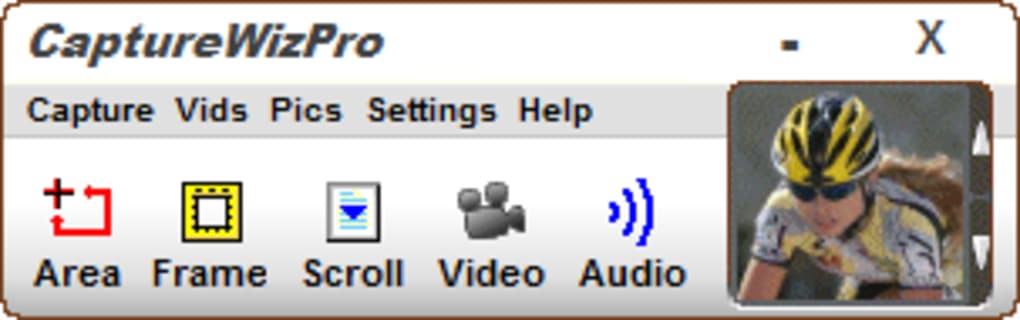
Once installed, the application launches with a clean, minimalist interface. You’ll find a central capture button, a dropdown menu for selecting capture type (image, video, audio, or scrolling), and quick access to settings like audio sources, output folder, and recording duration. For first-time users, the onboarding wizard provides helpful tips and customizable preferences.
Usage is intuitive: click the capture button, select your area or window, choose audio input, and hit record. When done, simply stop the session, preview your capture, make edits if needed, and save or share. The software supports Windows 10/11, macOS 10.14 and later, and is optimized for both Intel and Apple Silicon Macs. While there’s no native Android or iOS app, the cloud sync feature allows you to access your captures across devices via a web portal.
Regular updates are pushed automatically, ensuring you always have the latest bug fixes, performance improvements, and security patches. The developers are responsive to user feedback, and the software is regularly enhanced based on community suggestions. Whether you’re using it for work, education, or personal projects, Capture Wiz delivers a consistent, reliable experience across all supported platforms.
Pros and Cons: Is Capture Wiz Right for You?
- Pros:
- Intuitive, user-friendly interface for all skill levels
- Supports high-quality screen recording with audio (microphone & system)
- Predictive capture tool for accurate, fast selection
- Comprehensive built-in editor with text, arrows, blur, and crop tools
- Multiple export formats: PNG, JPG, GIF, MP4, AVI, MOV
- Direct sharing to email, cloud, and social media
- Secure, privacy-focused with no data tracking
- Lightweight and efficient, low system resource usage
- Cons:
- No native mobile app for Android or iOS (though cloud access is available)
- Advanced editing features are limited compared to full video editors
- Free version has watermark on exported videos (removable in Pro version)
- Occasional lag during very long recordings on older systems
- Learning curve for advanced automation features
- Intuitive, user-friendly interface for all skill levels
- Supports high-quality screen recording with audio (microphone & system)
- Predictive capture tool for accurate, fast selection
- Comprehensive built-in editor with text, arrows, blur, and crop tools
- Multiple export formats: PNG, JPG, GIF, MP4, AVI, MOV
- Direct sharing to email, cloud, and social media
- Secure, privacy-focused with no data tracking
- Lightweight and efficient, low system resource usage
- No native mobile app for Android or iOS (though cloud access is available)
- Advanced editing features are limited compared to full video editors
- Free version has watermark on exported videos (removable in Pro version)
- Occasional lag during very long recordings on older systems
- Learning curve for advanced automation features
Frequently Asked Questions (FAQ)
-
-
-
-
-
Final Verdict: Capture Wiz Is a Must-Have for Digital Content Creation
If you're searching for a reliable, secure, and feature-rich screen capture tool, Capture Wiz is an excellent choice. Its combination of intuitive design, powerful recording capabilities, and built-in editing makes it ideal for students, educators, professionals, and content creators alike. Whether you need to capture a tutorial, document a software issue, or share a quick demo, Capture Wiz delivers high-quality results with minimal effort.
The software’s compatibility with both Windows and Mac, regular updates, and strong privacy policies ensure a safe and consistent experience. While the free version has a watermark, the Pro upgrade is affordable and well worth it for frequent users. With its seamless integration into daily workflows and cross-device accessibility, Capture Wiz stands out as one of the best screen capture tools available today.
Download Capture Wiz now and take control of your digital content—capture, edit, and share with confidence. Whether you're working from a desktop or managing projects on the go, this tool empowers you to create and communicate effectively.







